A Secure, Flexible Portal Built Around Your Users
Give your customers, members, students, clients or teams a secure, personalised place to access the information, resources and services that matter to them. Our Portal Platform is a flexible add-on to your website that lets you control who gets access to what - without needing to build a separate system from scratch.
The Online Portal is available on the Pro Plus Package. See Website Builder Packages
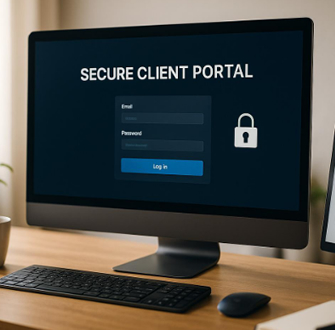
Not everyone needs to see the same information.
With role-based access, you can create different user groups and decide exactly what each group can access.
Roles → Content → Users
Roles can be customised to suit your organisation, whether that means clients, students, members, consultants, partners, staff or premium users.
Assign users to their roles, assign content to those roles, and the portal takes care of the rest.
This gives you a simple way to deliver the right information to the right people.
Give users their own secure space.
Once logged in, users can access a personalised portal containing the content and resources assigned to them.
Depending on how your portal is configured, users can:
- View pages, documents, resources and structured information.
- Download files or view content online.
- Search and filter available content.
- Manage their personal profile and password.
- Receive important updates or notifications.
- Access support, FAQs or contact forms.
- Access members-only offers, discounts or rewards.
- Optional multi-factor authentication (MFA) can also be enabled where additional security is required.
Designed to fit the way you work.
Your portal can be configured around your business model.
Admin-Managed Access.- You control who gets in. Add users manually, assign their roles and manage their access.
- Ideal for organisations where client or member relationships are carefully managed - such as agencies, professional services firms and B2B businesses.
- Allow users to sign themselves up and gain access to your chosen content.
- A useful option for communities, free resources and platforms offering a freemium model.
- Charge users for access through subscriptions, memberships or one-off payments.
- Ideal for membership organisations, online courses and premium content libraries.
- Combine different approaches - for example, offer a free tier with basic content while reserving premium resources and features for paying members.
- You can also use administrator approval and different roles to create more controlled access levels.
More than just a members' area.
The portal can be configured to do much more than simply hide pages behind a login.
Create different content types, including:
- Pages for text, images, forms and general information.
- Links to documents, files and external resources.
- Lists for structured information and tables.
- Content can be grouped into sections and assigned to specific roles, or, where needed, directly to an individual user.
This means you can create a genuinely personalised experience without having to maintain completely separate websites for different audiences.
Add Memberships, Payments & Rewards.For organisations that want to build a membership or customer programme into their portal, optional features include free, paid or tiered memberships, payment options, a member store and loyalty rewards.
You can create a portal that not only provides information, but gives your users a reason to keep coming back.
Why add a Portal to your website?
A portal gives you a controlled, scalable way to deliver private content and services through the website your customers already know.
Instead of relying on a collection of emails, shared files, spreadsheets or separate platforms, you can bring the experience together in one secure, branded environment.
If your organisation has different audiences who need different information, resources or levels of access, a portal could be the missing piece of your website.
Talk to us about adding a Portal Platform to your website and we can help you configure it around your users, content and business model.
You'll find the Portal Admin features to be self explanatory, and easy to manage.


