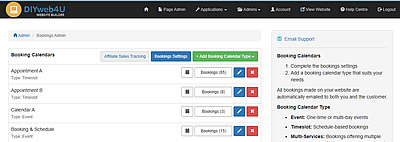
Bookings Admin
The booking calendar can be setup for individual pre-set time slots or events or booking calendars offering multiple services. You can include Zoom meeting links, as well as optionally require a booking payment when a booking is placed.
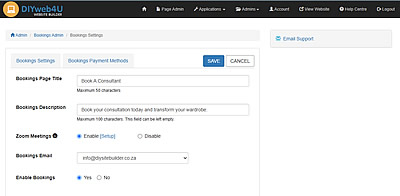
Bookings Settings
- Bookings Page Title, Bookings Description, Zoom Meetings (Enable, Setup, Disable), Bookings Email, Enable/Disable Bookings
- Bookings Payment Methods: (Optional setup if requiring payment for a booking)
Pay on Invoice, Direct EFT, Payfast, Payflex, PayShap, Yoco
Booking Calendar Types
- Event: Title, Info/Details, Image, Booking Lead Time, Date (Start, End), Time (Start, End), Zoom Meeting Links (Enable, Optionally email link when is booking made), Cost (Optional, with checkout process)
- Timeslot: Title, Info/Details, Image, Booking Lead Time, Date ((Start, End), Exclude Dates/Days, Time (Start, End), Timeslots (Duration, Gap Minutes), Optional Settings (Sync with other Timeslot calendar bookings, Enable checkout process), Zoom Meeting Links (Enable, Optionally email link when booking is made), Cost (Optional)
- Multi-services: Title, Info/Details, Image, Booking Lead Time, Date (Start, End), Time (Start, End), Gap (Minutes), Participants per Booking, Optional Checkout process, Add Services (Name, Service, Cost)
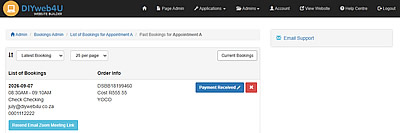
- View Bookings Made: List of bookings with Order Info, Edit Payment, Delete
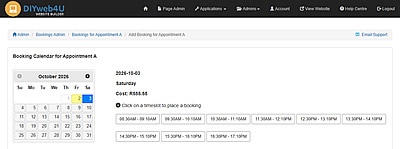
- Add Booking via Admin: These bookings skip the payment checkout process