The Applications Panel is where you can customise your website.
You can edit themes, background images, sliding banners, access free stock images, add widgets and third party code, setup a blog... and more.

Menubar and Dropdowns.
You can:
- Add, edit and delete menu links and dropdown links,
- Re-order link sequences, and
- Change menubar colours.

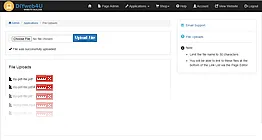
File Uploads Utility.
Upload PDF files and other documents for viewing or downloading from your website.
- These could be your rates, application forms, company profile, etc.
- You can view the list of all the files that you've uploaded, and delete ones that you no longer want.
Third Party Code.
There are pre-made fields in your Applications Panel where you simply insert the supplier's code snippet.
- You can add script code or links.
- Add Facebook Pixel.
- Google Site Verification.
- Google Analytics code.
- Google Maps location script.
Third Party Code can also be inserted in the Page Editor source code, and Media Editor.


Social Media.
The Social Media icons are pre-installed.
They can be applied to: